Buying QuickBooks Online: Pricing, Hidden Costs, and the Honest 2026 Buyer's Guide
Quick answer: Buy QuickBooks Online if you are a US-centric single-entity small business under ~40 staff that wants the deepest accounting talent pool in North America. Avoid QBO if you have meaningful inventory, manufacturing, multi-entity needs, or are growing past 250,000 transactions per year — those force a stack of add-ons or a migration to a real ERP. Realistic Year-1 cost with key apps: USD $3,500–$18,000. Best implementation pattern: native QBO plan plus 3–6 ecosystem tools and zero custom code.
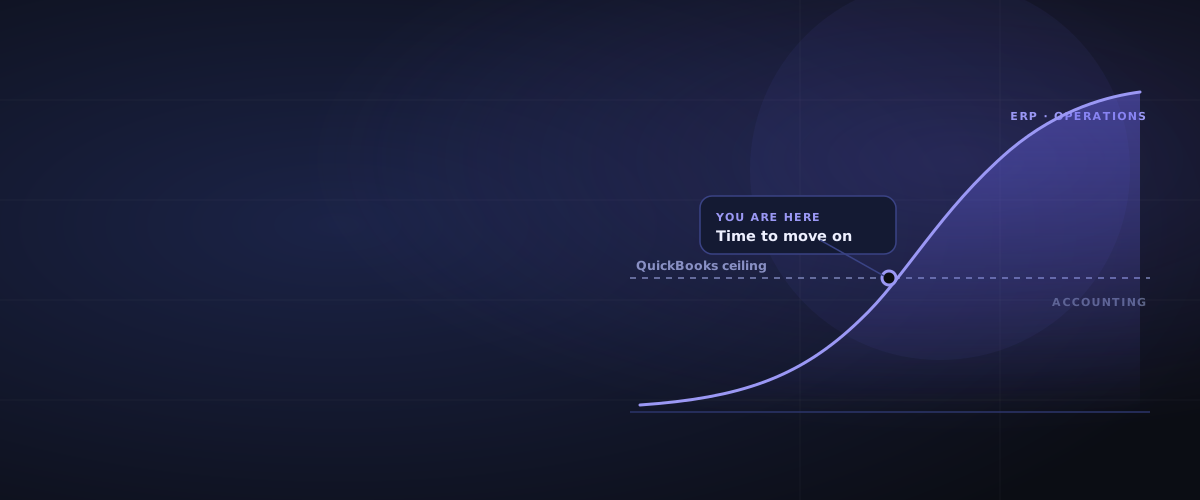
QuickBooks Online is the default accounting platform for US small business. That is its strength and its trap. The strength is liquidity — almost every US accountant, bookkeeper, payroll provider, and lender speaks QBO fluently. The trap is that Intuit has built one of the most aggressive feature-gate and upsell models in the SMB software market, and the platform's ceiling — inventory, multi-entity, transaction throughput — arrives faster than the buyer's growth plan assumes.
This guide is for buyers evaluating QuickBooks Online as the financial backbone of a business that may not stay small forever. It walks the real cost stack, the implementation traps, the partner questions to ask, and the point at which a credible QBO advisor will tell you to start migrating. The framing is global — QBO is strongest in the US and Canada, has presence in the UK, Australia, India, and parts of LATAM, but the ceiling traps apply everywhere.
What Is QuickBooks Online? (And Who's Behind It)
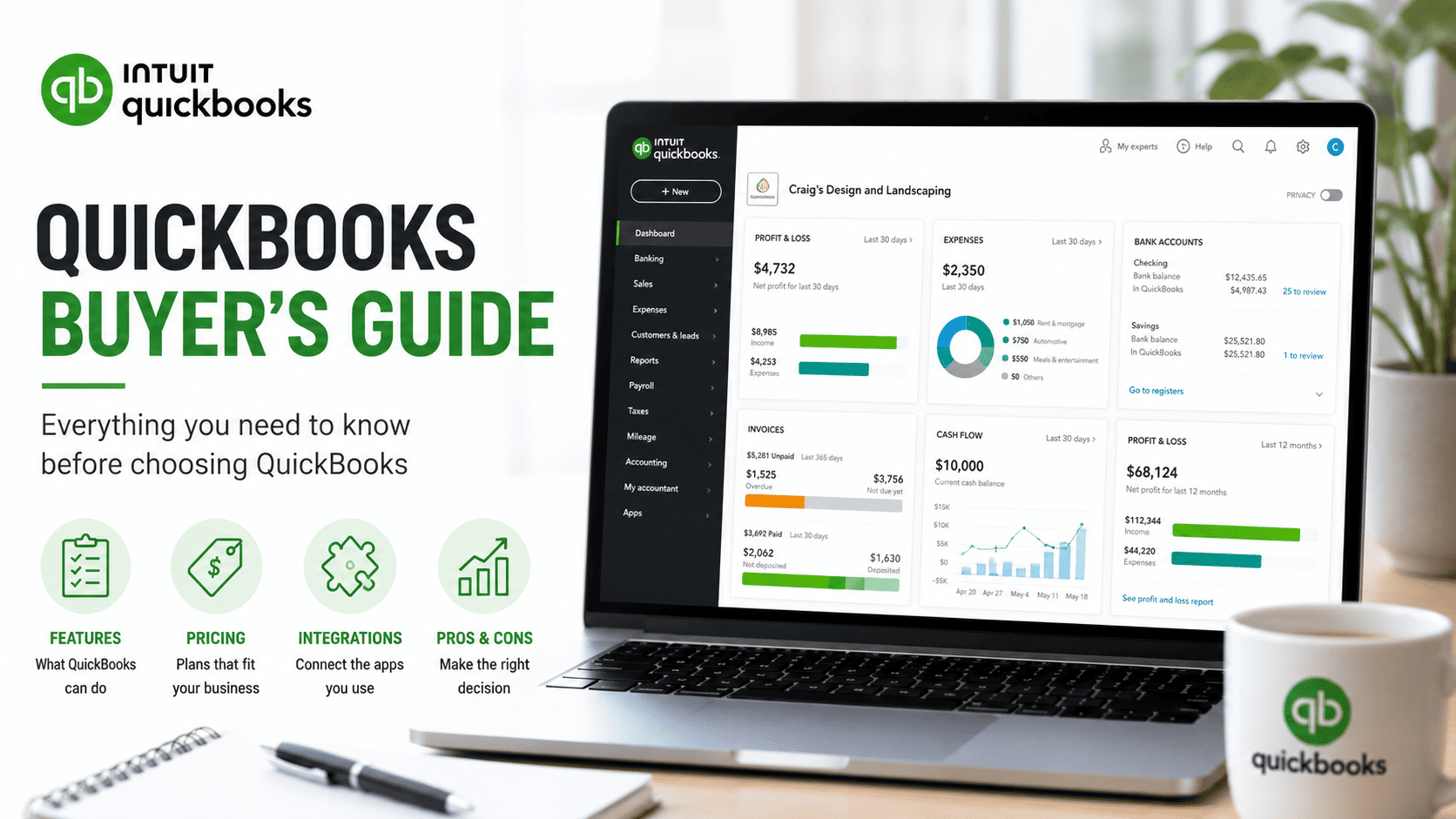
QuickBooks Online (QBO) is Intuit's cloud accounting product, distinct from the older desktop QuickBooks line that Intuit is steadily winding down. Intuit is a publicly listed US company (NASDAQ: INTU) and treats QBO as the gateway product into a broader ecosystem that includes QuickBooks Payroll, QuickBooks Time, QuickBooks Bill Pay, and the Mailchimp / Credit Karma cross-sells.
QBO targets micro and small businesses — generally under 40 staff and under USD $10M revenue. Deployment is SaaS only; the desktop product still exists but is being deliberately sunsetted in favour of the cloud platform.
Country coverage is uneven. US and Canada are first-class. UK, Australia, and India have full localisation but smaller advisor pools. EU, GCC, and most of LATAM are weak — Xero, Sage, or Zoho Books are usually better fits outside North America. If you are buying QBO outside the US, your alternative shortlist is materially different from the US default.
QuickBooks Online Pricing in 2026
Intuit publishes plan pricing, but the published price is an introductory rate that expires after the first 3–12 months. Buyers consistently under-budget the renewal jump.
| Cost layer | Range (USD per month) | Notes |
|---|---|---|
| QBO Simple Start | $30–$40 | 1 user; not a real business plan |
| QBO Essentials | $60–$80 | 3 users; the mainstream entry plan |
| QBO Plus | $90–$120 | 5 users; inventory tracking unlocks here |
| QBO Advanced | $200–$240 | 25 users; "Advanced" reporting and custom roles |
| Payroll (Core / Premium / Elite) | $50–$130 + per-employee | Separate subscription |
| QuickBooks Bill Pay | $20–$90 | AP automation tier |
| Dext / Hubdoc | $20–$40 | Receipt capture |
| Fathom / Spotlight | $40–$200 | Board-grade reporting |
| Cin7 / inventory app | $200–$600 | If doing real stock |
| Method:CRM | $30–$70 per user | If you need CRM |
Realistic Year-1 spend for a 20-person US services firm with payroll and AP automation lands around USD $4,000–$10,000. A 60-person business adding inventory, time tracking, and reporting tools lands at USD $12,000–$25,000. Intro pricing typically expires after 3–6 months and steps up 20–40% — that is the single biggest budgeting error first-time buyers make. For benchmarks across the ERP tiers, see how much does ERP cost.
Implementation Traps to Know Before You Sign
QuickBooks Online is implemented in weeks, not months, and rarely involves a Statement of Work. But there is still a meaningful pattern of buyer regret that every honest advisor sees repeatedly.
Aggressive upselling is structural, not occasional. Intuit's product team puts feature gates between plans, and the UX surfaces upgrade prompts at the moment a user hits a limit. Reporting is gated to Advanced. Custom roles are gated to Advanced. Inventory is gated to Plus. The accounting team's instinct is to upgrade rather than push back — and Intuit knows it.
Price escalation after the intro period is the single most common surprise. Introductory pricing typically lasts 3–6 months, then rises 20–40%. Plan year one off renewal pricing, not headline pricing.
It is not a real ERP, and it never was. No depth in inventory beyond unit counting and average cost. No manufacturing. No work orders. No project ERP. No multi-entity consolidation. Sage Intacct, NetSuite, and Business Central exist because of the buyers who outgrew QBO.
The 250,000-transaction soft ceiling is real. QBO performance degrades when annual transaction volume passes roughly this level — reports time out, the data file becomes sluggish, and advisors start recommending migration. Below that, QBO performs well; above it, the migration cost arrives whether you planned for it or not.
Data export is deliberately painful. Getting clean historical data out of QBO into a migration-ready format is a meaningful project. Intuit's commercial interest is to make leaving costly. Budget USD $5,000–$25,000 for a serious QBO-to-ERP migration depending on data quality and history requirements — see the ERP data migration guide.
Payroll is a separate subscription. Buyers who assume the headline plan covers payroll are caught short. QBO Payroll is decent in the US but tiered and per-employee — model it as its own line.
User limits are tighter than you think. Simple Start is single user. Essentials is 3. Plus is 5. The jump to Advanced (25) is a $100+ per month step.
| Trap | Severity | What it costs you |
|---|---|---|
| Intro pricing expires at 20–40% step | High | $1K–$5K/year unbudgeted in year one |
| Aggressive feature-gating upsell | High | Plan creep adds $50–$150/month |
| Not a full ERP — inventory and manufacturing gaps | High | Forces add-on stack or migration |
| 250K-transaction soft ceiling | Medium | Performance degrades; migration triggered |
| Data export friction at exit | Medium | $5K–$25K migration cost |
| Payroll as separate paid module | Medium | $50–$130/month + per-employee |
| User cap below Advanced plan | Medium | Forces plan upgrade as team grows |
| Advanced reporting requires add-on | Watch | Fathom / Spotlight $40–$200/month |
Partner Questions That Matter
Most QBO buyers work with a ProAdvisor, bookkeeper, or accountant rather than a traditional implementation consultancy. Use these questions to separate advisors who have actually scaled businesses on QBO from those who have only started them.
- At what point will QBO no longer be sufficient for our business, and what does the migration path look like? An honest advisor names the ceiling.
- Which third-party tools are you recommending for inventory, reporting, and project management — and what do those cost annually? Be specific.
- How do you handle the QBO data cap? QBO slows significantly past ~250,000 transactions per year — show me how you monitor and plan for that.
- What does multi-entity management look like in QBO? Walk me through the manual consolidation process step by step.
- Have you migrated clients from QBO to a full ERP? What did that migration cost and how long did it take? Advisors who have only ever onboarded have not seen the exit cost.
The "we'll figure it out at the time" answer is the same red flag at this tier as it is at the enterprise tier — just at a smaller dollar amount.
Demo Requests to Insist On
Even at this tier, do not buy on a generic vendor demo. Insist on:
- A bank reconciliation with a large transaction set and several mismatched amounts. Watch how the matching engine behaves under realistic volume.
- Inventory tracking across multiple locations. Expect this to be limited — confirming the gap upfront prevents post-purchase surprise.
- A project costing report showing time, materials, and margin by project. This is where QBO Plus / Advanced often disappoint project-driven businesses.
- Payroll integration showing what posts to the GL automatically. Get the journal pattern in writing before signing the payroll subscription.
If your ProAdvisor cannot run these live, that is the signal to find a different advisor — not to assume the gaps do not exist.
Recommended Ecosystem Tools
QuickBooks Online's ecosystem is huge — the QuickBooks App Store carries 700+ apps. Most buyers waste money on apps they do not need; experienced advisors pick a tight stack.
| Tool | What it does | Gap it fills |
|---|---|---|
| Fathom / Spotlight Reporting | Board-ready financial reporting and KPI tracking | QBO native reports are basic; these add consolidated, visual reporting |
| Dext / Hubdoc | Receipt and bill capture, AI coding | QBO receipt handling needs manual work; these automate classification |
| QuickBooks Time (TSheets) | Time tracking and job costing | QBO native time tracking is thin; this adds project-level labour cost |
| Method:CRM | CRM built specifically for QBO integration | QBO has no CRM; Method syncs customers and sales activities |
| Cin7 / TradeGecko | Inventory and order management | QBO inventory is count tracking only — no warehouse or fulfilment |
| Bill.com | AP automation, invoice approvals, payment runs | QBO AP is manual; Bill.com adds approvals and ACH at scale |
| Vend / Square for Retail | POS integration | QBO POS is limited; dedicated tools integrate cleanly back to QBO |
Each app is a recurring cost line, an integration surface, and a version-upgrade exposure. The pattern is the same as Xero — the cleaner stack wins. For why integration cost is so consistently mis-modelled, see ERP integration with existing systems.
Who QuickBooks Online Is For (and Who It Isn't)
| Profile | Fit |
|---|---|
| US single-entity services business, 5–30 staff | Strong |
| Small US retailer with POS and a 3PL | Workable with Cin7 + POS integration |
| Multi-entity holding company | Weak — no native consolidation; manual workarounds |
| Discrete or process manufacturer | Weak — no MRP, no work orders, no real costing |
| Distributor with multi-warehouse | Weak — forces a parallel inventory stack |
| Subscription / SaaS business with deferred revenue | Workable only with a billing add-on; ASC 606 / IFRS 15 is not native |
| UK / EU / GCC business | Weak — Xero or Sage is usually a stronger native fit |
| Professional services firm needing project costing | Workable with QBO Plus or Advanced plus QB Time |
These are general categories. Your specific business profile will shift the answer — which is exactly what a structured evaluation surfaces.
QuickBooks Online vs Alternatives
In the same Micro Business tier, the comparison set is Xero, Sage Business Cloud, and Zoho Books. QBO has the deepest US accountant network. Xero is stronger in the UK, AU, and NZ, with a cleaner multi-currency story. Sage Business Cloud has heavier UK regulatory pedigree. Zoho Books is dramatically cheaper and slots into the wider Zoho One ecosystem.
The more important question for most QBO buyers is whether they have already outgrown this entire tier. The relevant alternatives in that case are not in QBO's tier at all — they are Odoo, ERPNext, Business Central, NetSuite, or Sage Intacct. See the major-vs-niche guide for how to think about the jump, and which ERP is right for my business for the tier framework.
For capabilities and fit, see the QuickBooks Online platform profile. Compare it head-to-head: QuickBooks Online vs Xero, QuickBooks Online vs Zoho Books, QuickBooks Online vs Sage Business Cloud.
Wondering if you have hit that point? See the seven signs you have outgrown QuickBooks.
Frequently Asked Questions
How much does QuickBooks Online cost in 2026?
Plan prices range USD $30–$240 per month per company file, before payroll, AP automation, receipt capture, and reporting add-ons. A typical 20-person US firm spends USD $4,000–$10,000 per year all-in; a 60-person business with inventory and reporting tools lands USD $12,000–$25,000. Introductory pricing typically expires after 3–6 months and rises 20–40%, so always model year one off renewal pricing.
Is QuickBooks Online a real ERP?
No. QBO is a cloud general ledger with strong AR, AP, bank feeds, and a deep US accountant ecosystem. It is not an ERP — no MRP, no work orders, no multi-warehouse, no multi-entity consolidation, no native revenue recognition. Buyers with manufacturing, complex inventory, or multiple legal entities should be looking one tier up. See when does a business need ERP.
Who owns QuickBooks Online?
Intuit Inc., a publicly listed US company (NASDAQ: INTU). Intuit also owns TurboTax, Credit Karma, and Mailchimp and is the dominant US small-business accounting vendor. QuickBooks Desktop and QuickBooks Online are both Intuit products, but Desktop is being deliberately sunsetted in favour of the cloud platform.
Can I implement QuickBooks Online myself?
Yes — most US small businesses do, with a bookkeeper or ProAdvisor handling chart of accounts, opening balances, and integrations. Typical self-implementation timeline: 1–3 weeks. For multi-entity setups, payroll integration, and inventory add-ons, budget 4–10 weeks and USD $2,000–$10,000 in advisor fees.
How long does a QuickBooks Online implementation take?
For a single-entity service business: 1–3 weeks. Add payroll and AP automation: 3–6 weeks. Add inventory, time tracking, and reporting apps: 8–16 weeks because the bottleneck becomes the integration stack, not QBO itself. See how long does ERP implementation take for tier-wide benchmarks.
What are the QuickBooks Online alternatives?
Same tier: Xero, Sage Business Cloud, Zoho Books. One tier up (where you should be looking if you have inventory or multi-entity needs): Odoo, ERPNext, Zoho One. Mid-market: NetSuite, Dynamics 365 Business Central, Sage Intacct, Acumatica. The right alternative depends on which tier your business actually belongs in, not which one feels familiar.
When do businesses outgrow QuickBooks Online?
The clearest triggers are: a second legal entity, any move into real inventory (BOMs, multi-warehouse, serial / batch tracking), passing ~250,000 transactions per year, or hitting the Advanced plan's user cap with continued team growth. Once two of those triggers are live, migration to a real ERP is cheaper than the workaround stack.
Does QuickBooks Online handle US multi-state sales tax?
QBO has a built-in Automated Sales Tax engine that is acceptable for simple cases. For genuine multi-state complexity — nexus management, jurisdiction-level filing, marketplace facilitator handling — Avalara or TaxJar are nearly universal. UK MTD, EU VAT, AU GST, India GST, and ZATCA are handled to varying degrees of localisation; outside the US, evaluate carefully.
How ERPLenz Can Help
This guide tells you what QuickBooks Online is, what it isn't, and where its ceiling sits in general terms. It does not — and cannot — tell you whether QBO is the right platform for your business. That depends on your entity structure, transaction volume, industry, geography, growth plan, and roughly a hundred other variables that only surface in a structured evaluation against your specific profile.
That is what ERPLenz's reports are built for. The Essential Report runs your profile against our 116-point diagnostic and produces a tier-appropriate shortlist with fit scores and a 5-year cost view calibrated to your business. The Deep Report adds regional partner recommendations and a fuller risk breakdown. Use this article as the floor of your evaluation, not the ceiling.
Get your free ERP budget reality check →
ERPLenz reads vendor pricing the way an auditor reads a footnote — assume the interesting numbers are the ones you have to dig for.